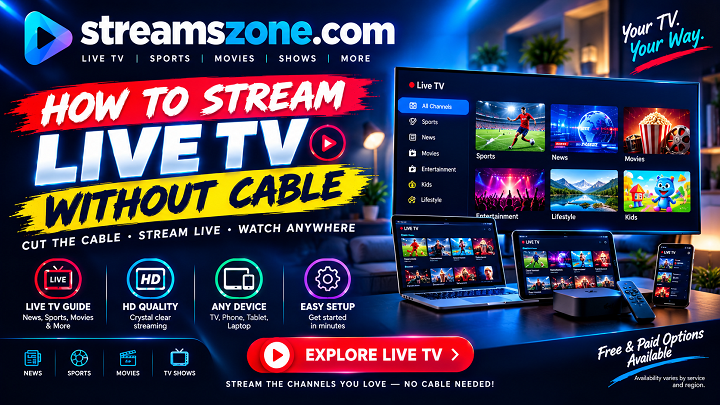
Learn how to stream live TV without cable using 7 easy and proven options, including live TV services, free trials, supported devices, and helpful tips.
How to Stream Live TV Without Cable: A Complete Guide
Cutting the cable connection no longer means giving up live television. With modern streaming services, internet-connected TVs, smartphones, tablets, computers, and streaming devices, viewers can watch many of the channels and programs they previously received through traditional cable.
For many households, the biggest question is simple: how to stream live TV without cable while keeping the experience convenient, affordable, and reliable.
The answer depends on what you want to watch, where you live, which devices you use, and how much you are willing to spend. Some viewers only need local channels, while others want sports, news, entertainment, movies, and family programming in one package.
This guide explains the different ways to replace traditional cable with internet-based television. It covers live TV streaming services, free options, device compatibility, internet requirements, local channels, sports, pricing considerations, and practical tips for choosing the right setup.
Whether you are researching how can I stream live TV without cable, wondering how do you stream live TV without cable, or simply comparing the best way to stream live TV without cable, this guide will help you understand your options.
What Does Streaming Live TV Without Cable Mean?
Streaming live TV without cable means watching television channels over an internet connection instead of receiving them through a traditional cable television subscription.
Rather than connecting your television to a cable provider, you can use an internet connection and a compatible streaming platform.
The basic setup is straightforward:
Internet connection → Streaming service or app → Compatible device → Television
Depending on the service, you may be able to watch:
- Live news
- Sports
- Entertainment channels
- Local broadcasts
- Movies
- Reality shows
- Children’s programming
- Lifestyle channels
- Weather
- Documentary programming
- Special events
Some platforms offer large channel packages that resemble traditional cable television. Others focus on specific types of programming.
The main difference is that streaming gives viewers more flexibility over how and where they watch.
Can You Stream Live TV Without Cable?
Yes, you can stream live TV without a traditional cable television subscription.
In fact, internet-based television has become a common alternative to conventional pay-TV services.
You generally need three things:
- A reliable internet connection
- A compatible television or streaming device
- Access to a live TV streaming service or supported free platform
A smart TV may already have the necessary applications built in. If your television is not smart, you can use a compatible streaming device or connect a computer to the TV.
The exact channels and features available depend on the service and your location.
Some platforms provide dozens of channels, while others focus on free local broadcasts, news, sports, or specialized content.
How to Stream Live TV Without Cable
The process is easier than many people expect.
Step 1: Check Your Internet Connection
Live television requires a stable internet connection.
The required speed depends on the streaming quality, number of devices using your network, and the service itself.
If several people in your household stream video simultaneously, you may need more bandwidth than a single viewer.
Step 2: Choose Your Streaming Device
You can potentially watch live television on:
- Smart TVs
- Streaming sticks
- Streaming boxes
- Smartphones
- Tablets
- Laptops
- Desktop computers
- Gaming consoles
- Compatible web browsers
Your preferred device should support the service you intend to use.
Step 3: Decide What Channels You Need
Before choosing a service, make a list of the channels that matter most.
For example, you might need:
- Local news
- National news
- Sports
- Entertainment
- Kids’ channels
- Lifestyle channels
- Movie channels
- Weather
- Business news
This step can prevent you from paying for a large package filled with channels you never watch.
Step 4: Compare Streaming Services
Compare the available services based on:
- Channel lineup
- Monthly price
- Local channel availability
- Sports coverage
- Cloud DVR
- Simultaneous streams
- Device support
- Free trials or promotional offers
- Regional restrictions
Step 5: Install the App
Once you choose a legitimate service, install its official application on your compatible device.
Some services also allow viewing through a web browser.
Step 6: Sign In and Start Watching
After creating or signing into your account, select the live TV section and choose a channel or program.
That is essentially the complete process.

How Can I Stream Live TV Without Cable for Free?
This is one of the most common questions from people who want to reduce monthly entertainment costs.
There are legitimate ways to access some live television without paying for a traditional cable subscription.
However, free does not mean every channel will be available.
Free options can include:
- Over-the-air local television
- Ad-supported streaming platforms
- Free news channels
- Publicly available broadcasts
- Official network programming
- Free promotional access
- Selected live events
- Free channels included with certain smart TV platforms
The exact selection varies by country and location.
For local broadcast television, an antenna can sometimes provide access to channels available over the air without a monthly cable bill. Availability depends on the strength of local signals and your geographic location.
For internet streaming, some legitimate platforms provide free, ad-supported channels.
The trade-off is that free services may have fewer channels and more advertising than premium services.
How Do You Stream Live TV Without Cable on a Smart TV?
Smart TVs make cable-free viewing particularly convenient because many modern models support streaming applications directly.
The general process is:
- Connect your TV to the internet.
- Open the television’s app store.
- Search for the official application of the streaming service.
- Install the application.
- Sign in.
- Open the live TV section.
- Select a channel.
Different TV manufacturers use different operating systems, so the interface can vary.
Some smart TVs also include free live channels directly within their built-in television interface.
If your TV does not support a particular application, you can often connect a compatible streaming device.
What Is the Best Way to Stream Live TV Without Cable?
There is no single best option for everyone.
The best way to stream live TV without cable depends on your viewing habits.
Someone who mainly watches local news may need a completely different solution from someone who watches sports every day.
Consider these scenarios.
Best for Local Channels
If your primary goal is local television, an antenna may be worth considering.
It can potentially provide access to local over-the-air broadcasts without a recurring cable subscription.
Best for Sports Fans
Sports viewers should prioritize services that carry the leagues, competitions, and networks they actually watch.
Always check current regional availability because sports broadcasting rights can differ significantly.
Best for News Viewers
If news is your priority, compare services based on the national and local news channels they provide.
Free ad-supported news platforms can also be useful for viewers who do not need a large premium package.
Best for Families
Families may want a service with a broad selection of entertainment, children’s programming, news, and educational content.
Check how many devices can stream simultaneously.
Best for Occasional Viewers
If you only watch live TV occasionally, paying for a large monthly package may not make sense.
Free services, individual subscriptions, or a combination of smaller services may be more practical.
Live TV Streaming Without Cable: What Are Your Options?
There are several major approaches to live TV streaming without cable.
Option 1: Live TV Streaming Services
These services are designed to replicate the traditional television experience through an internet connection.
They typically provide a channel guide and live programming.
Depending on the provider, you may receive:
- News
- Sports
- Entertainment
- Movies
- Lifestyle
- Kids’ programming
- Local channels
These services usually charge a monthly fee.
Option 2: Free Ad-Supported Television
Free ad-supported platforms provide channels without requiring a traditional monthly subscription.
Instead, advertising supports the service.
This can be an attractive choice for viewers who want additional entertainment without increasing their monthly bills.
Option 3: Network Streaming
Some television networks provide live programming through their websites or applications.
Access rules can vary. Some content may be free, while other programming may require a subscription or participating TV-provider credentials.
Option 4: Over-the-Air Antenna
An antenna can provide local broadcast television without cable.
It does not use internet streaming, but it is one of the most effective ways to maintain access to local television after canceling cable.
Option 5: A Combination of Services
Many cord-cutters use multiple solutions.
For example:
Antenna + free streaming channels + one paid live TV service
This approach can provide broad coverage while keeping costs under control.
Do You Need Fast Internet for Live TV?
You need a stable internet connection, but the exact speed requirement varies.
Video quality plays an important role.
Standard-definition streaming uses less bandwidth than HD, while higher-resolution video can require significantly more.
Your household’s total internet usage also matters.
For example, imagine one person is watching live TV while another is participating in a video meeting and a third person is playing an online game.
The network needs to handle all of those activities simultaneously.
If your stream frequently buffers, try:
- Reducing video quality
- Moving closer to the Wi-Fi router
- Using Ethernet
- Closing unnecessary applications
- Disconnecting unused devices
- Restarting the router
- Updating the streaming application
- Checking whether your internet provider is experiencing an outage
A stable connection is often more important than simply having an extremely high advertised speed.
Can You Watch Local Channels Without Cable?
Yes, depending on your location.
There are two main approaches.
Over-the-Air Antenna
Local broadcast stations may be available through an antenna.
The number of channels depends on local broadcasting infrastructure, signal strength, antenna placement, and geographic location.
Internet Streaming
Some live TV streaming services include local channels in selected markets.
However, availability is not universal.
A service may carry a particular local station in one city but not another.
Always enter your location on the provider’s official website when checking channel availability.
How to Stream Live TV Without Cable on Your Phone
You do not need a television to enjoy live programming.
Many streaming providers have mobile applications.
The process is generally:
- Download the official app.
- Sign in.
- Open the live TV section.
- Select the channel.
- Start watching.
Mobile streaming is useful when traveling, commuting, or away from home.
However, video can consume significant mobile data.
If you are using cellular data, monitor your plan’s allowance.
Wi-Fi is generally preferable for long viewing sessions.
How to Stream Live TV Without Cable on a Laptop
A laptop can be one of the easiest ways to begin.
You usually do not need any additional hardware.
Simply visit the official streaming provider’s website using a supported browser, sign in, and select the live TV section.
Laptop viewing also provides additional flexibility.
You can keep:
- A sports score page
- Program information
- A schedule
- News updates
- Social media
- Live commentary
open in separate tabs while watching.
However, avoid opening unnecessary high-bandwidth applications if your connection is struggling.
Can You Watch Sports Without Cable?
Yes.
Sports is one of the main reasons people investigate cable alternatives.
Depending on your sport and location, you may find sports through:
- Live TV streaming services
- League-specific subscriptions
- Network applications
- Free official broadcasts
- Ad-supported platforms
- Over-the-air channels
- Event-specific services
The key issue is broadcasting rights.
Not every service carries every league.
Before subscribing, identify the exact sports you watch.
For example, a football fan may need different channels from an NBA fan, while a tennis viewer may prioritize tournament coverage.
Do not assume that a service advertising “sports” automatically includes every competition.
How to Watch News Without Cable
News is another area where cord-cutting is relatively straightforward.
Many broadcasters and news organizations offer digital access through:
- Websites
- Mobile apps
- Smart TV apps
- Free streaming channels
- Subscription services
Some services provide continuous live news programming, while others offer scheduled broadcasts and clips.
If you only need occasional news updates, a free option may be sufficient.
If you want a complete television-style news lineup, compare paid live TV services.
how to stream live tv without cable, how can i stream live tv without cable,how do you stream live tv without cable, can you stream live tv without cable,best way to stream live tv without cable,live tv streaming without cable,
Is Live TV Streaming Cheaper Than Cable?
It can be, but not automatically.
The total cost depends on how many services you subscribe to.
A person might cancel cable and subscribe to several separate streaming services. Over time, those monthly payments can approach or exceed the original cable bill.
The best strategy is to calculate the total cost.
Consider:
Internet + Live TV service + Premium subscriptions + Sports packages + Other streaming services
Then compare that total with your current television and internet expenses.
Cable alternatives can provide flexibility, but flexibility does not automatically equal lower cost.
How to Reduce Your Streaming Costs
If you are switching away from cable primarily to save money, use a simple strategy.
Keep Only the Services You Watch
Do not subscribe to a platform simply because it has a large channel list.
Review Your Subscriptions Regularly
Your viewing habits can change.
Cancel services you no longer use.
Use Free Options
Free ad-supported channels and local broadcast television can reduce your monthly expenses.
Consider Seasonal Subscriptions
If you mainly watch a particular sport during its season, you may not need the same package all year.
Avoid Duplicate Content
Several services may carry similar entertainment or news programming.
Choose the combination that covers your priorities with the fewest overlapping subscriptions.
What About Cloud DVR?
A cloud DVR allows viewers to record television programming digitally so they can watch it later.
This feature can be especially useful for:
- Live sports
- News
- Series
- Movies
- Special events
However, DVR features vary between services.
Check:
- Storage capacity
- Recording duration
- Expiration rules
- Simultaneous recordings
- Playback restrictions
- Commercial controls
If recording is important to you, do not choose a service based only on its channel count.
How Reliable Is Live TV Streaming?
Reliability can be excellent when the service, internet connection, and device are all working properly.
However, streaming introduces different potential problems from traditional television.
Possible issues include:
- Internet outages
- Wi-Fi interference
- Server congestion
- App crashes
- Device compatibility problems
- Regional restrictions
- Account issues
Traditional cable can also experience outages, so neither approach is completely immune to technical problems.
A good internet connection and supported device can greatly improve reliability.
How to Fix Buffering During Live TV
Buffering can be frustrating, particularly during sports or breaking news.
Try the following steps:
Check Your Internet
Run a connection test if possible.
Restart the Router
A simple restart can sometimes resolve temporary network issues.
Lower Video Quality
If your service allows manual quality selection, try reducing the resolution.
Use Ethernet
A wired connection can be more stable than Wi-Fi.
Reduce Network Traffic
Pause large downloads and unnecessary streams.
Restart the App
Close and reopen the application.
Restart the Device
Televisions and streaming devices can occasionally benefit from a restart.
Check the Service
If every other internet activity works normally but one streaming platform continues to fail, the problem may be on the provider’s side.
Is It Safe to Stream Live TV Online?
Using established and legitimate streaming platforms is generally the safer approach.
Be careful with websites that promise access to premium channels through suspicious players or unauthorized sources.
Warning signs include:
- Excessive pop-ups
- Fake play buttons
- Unexpected redirects
- Unknown downloads
- Suspicious browser notifications
- Requests for unnecessary software
- Unclear ownership
- Missing privacy information
- Unrealistic promises
Do not install unknown applications or browser extensions simply to access a television stream.
Use official applications and websites whenever possible. how to stream live tv without cable, how can i stream live tv without cable,how do you stream live tv without cable, can you stream live tv without cable,best way to stream live tv without cable,live tv streaming without cable,
How to Choose a Live TV Streaming Service
Before signing up, answer these questions.
Which Channels Do I Actually Watch?
Make a list.
Do I Need Local Channels?
If yes, verify availability in your ZIP or postal area where applicable.
Do I Need Sports?
Identify your specific leagues and competitions.
Do I Need DVR?
If you frequently miss live programs, DVR may be valuable.
How Many People Will Watch?
Check simultaneous-stream limits.
Which Devices Do We Use?
Make sure your TVs, phones, tablets, and streaming devices are supported.
What Is the Total Monthly Cost?
Include taxes, optional packages, premium channels, and add-ons where applicable.
Can I Cancel Easily?
Understand the provider’s cancellation terms before subscribing.
A Simple Cable-Cutting Setup
A basic setup could look like this:
Internet connection
↓
Smart TV or streaming device
↓
Official live TV application
↓
Live channels
You can expand the setup with:
Antenna + free streaming services + one paid live TV platform
This combination can provide local channels, free entertainment, and additional premium programming.
The right setup depends on your viewing habits.
Common Mistakes When Cutting the Cord
Switching away from cable can be easy, but several mistakes are common.
Choosing a Service Before Checking Channels
A low price is not useful if your favorite channels are missing.
Forgetting Local Channel Availability
Local networks vary by location.
Buying Too Many Subscriptions
Adding multiple services can eliminate potential savings.
Ignoring Internet Usage
Several simultaneous streams can affect performance.
Forgetting DVR Requirements
Some viewers only realize they need recording after canceling cable.
Assuming Every Device Is Supported
Check compatibility before purchasing hardware.
Not Reading Subscription Terms
Free trials can become paid subscriptions if they are not canceled according to the provider’s terms.
The Future of Live TV Without Cable
Television continues to move toward internet-based distribution.
Consumers increasingly expect content to be available across multiple devices rather than being tied to one television connection.
This does not necessarily mean traditional television will disappear completely.
Instead, viewers now have more choices.
A household might combine:
- Broadcast television
- Live streaming
- On-demand services
- Free ad-supported channels
- Sports subscriptions
- Network applications
This hybrid model gives viewers more control over how they consume television.
Frequently Asked Questions
How to stream live TV without cable?
To stream live TV without cable, you generally need a reliable internet connection, a compatible device, and a legitimate live TV streaming service or free platform. Choose the service based on the channels, sports, local programming, and features you actually need.
How can I stream live TV without cable for free?
You can explore legitimate free options such as over-the-air broadcasts with an antenna, ad-supported live channels, free news platforms, official network programming, and promotional offers. Availability varies by location.
How do you stream live TV without cable on a smart TV?
Connect your smart TV to the internet, open its application store, install the official app for your chosen streaming service, sign in, and select the live TV section.
Can you stream live TV without cable on a phone?
Yes. Many legitimate streaming providers offer mobile applications. You can watch supported live channels over Wi-Fi or mobile data.
What is the best way to stream live TV without cable?
The best option depends on your viewing needs. Compare channel lineups, local availability, sports coverage, pricing, DVR features, supported devices, and simultaneous streams before choosing.
Is live TV streaming cheaper than cable?
It can be, but the total cost depends on your subscriptions. Adding several streaming services can become expensive, so calculate the combined monthly cost before canceling cable.
Can I watch local channels without cable?
In many areas, local broadcast channels can be received with an antenna. Some streaming services also offer local channels in selected markets.
Can I watch sports without cable?
Yes. Sports can be available through live TV streaming services, league-specific platforms, network apps, free broadcasts, and other authorized services. Availability depends on the sport and location.
Do I need a smart TV?
No. You can use a streaming device, computer, smartphone, tablet, or another supported device. A smart TV simply makes the setup more convenient.
How much internet do I need for live TV streaming?
The requirement depends on video quality, the streaming platform, and how many devices use your connection at the same time. A stable connection is important for consistent playback.
Can I record live TV without cable?
Yes, if your chosen service provides cloud DVR functionality. Features such as storage limits, recording duration, and playback rules vary by provider.
Why does live TV streaming buffer?
Buffering can result from unstable Wi-Fi, network congestion, insufficient bandwidth, device problems, high video quality, or an issue with the streaming provider. Reducing video quality and improving network stability can help.
Final Thoughts
Learning how to stream live TV without cable is easier today because viewers have more choices than ever.
You do not necessarily need a traditional cable subscription to watch news, sports, entertainment, local programming, and other live television.
The right solution starts with understanding what you actually watch.
If local channels are your priority, investigate over-the-air broadcasting and local availability. If you want a traditional channel lineup, compare live TV streaming services. If your main goal is saving money, combine free services with only the subscriptions you genuinely need.
The most important step is to compare options before canceling cable.
Check the channels, pricing, sports coverage, local availability, DVR features, device support, and subscription terms. Also consider your internet connection because streaming quality depends heavily on network stability.
For viewers researching how can I stream live TV without cable, the answer is not necessarily one specific service. It is a combination of technology and choices that fit your household.
The same applies to anyone asking how do you stream live TV without cable or can you stream live TV without cable. Yes, you can, but the best setup depends on your location, viewing habits, budget, and preferred devices.
Ultimately, live TV streaming without cable gives viewers more control. Instead of accepting a traditional package with dozens of channels they never watch, viewers can build a setup around the programming that matters most.
Whether you want local news, sports, entertainment, movies, or a combination of everything, taking a little time to compare your options can help you create a flexible and practical television setup.